Robot Framework and Jenkins
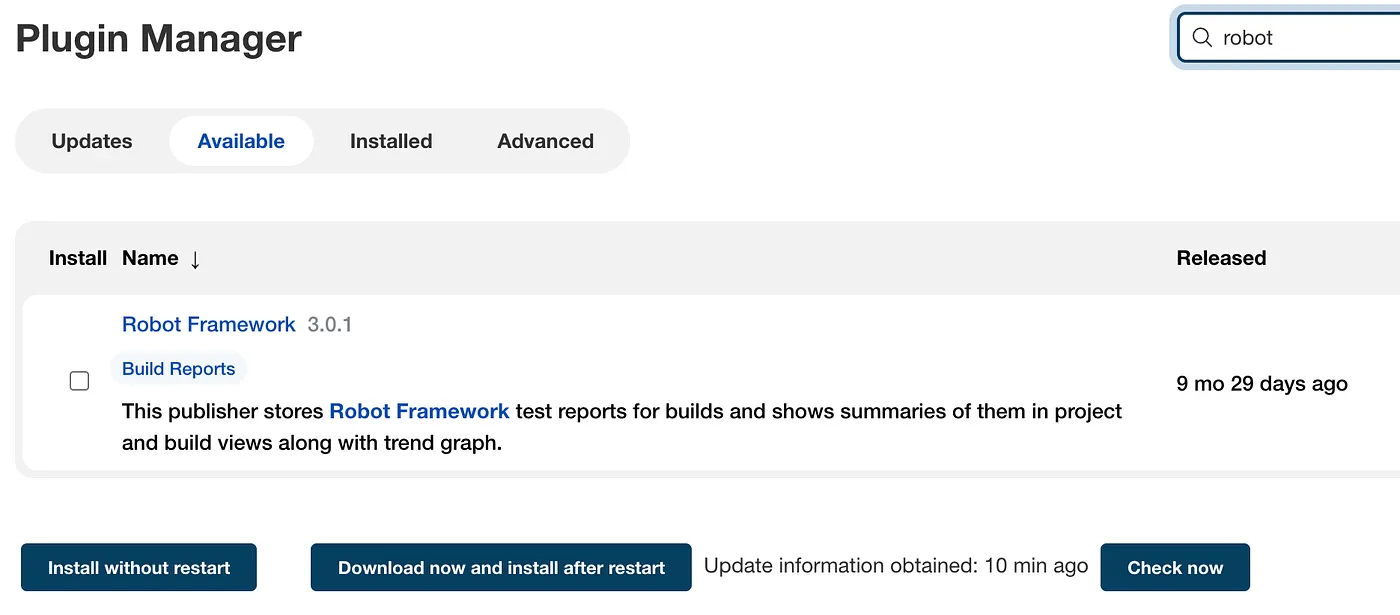
To start with Jenkins lets first install Robot Framework Plugin and create one job with some tests.
After build is done we need to make sure our robot results are copied. We can defined some arguments like pass and unstable threshold.
    post {
        always {
            script {
                step(
                    [
                        $class                    : 'RobotPublisher',
                        outputPath                : WORKSPACE,
                        outputFileName            : "*.xml",
                        reportFileName            : "report.html",
                        logFileName               : "log.html",
                        disableArchiveOutput      : false,
                        passThreshold             : 100,
                        unstableThreshold         : 95.0,
                        otherFiles                : "*.png"
                    ]
                )
            }
        }
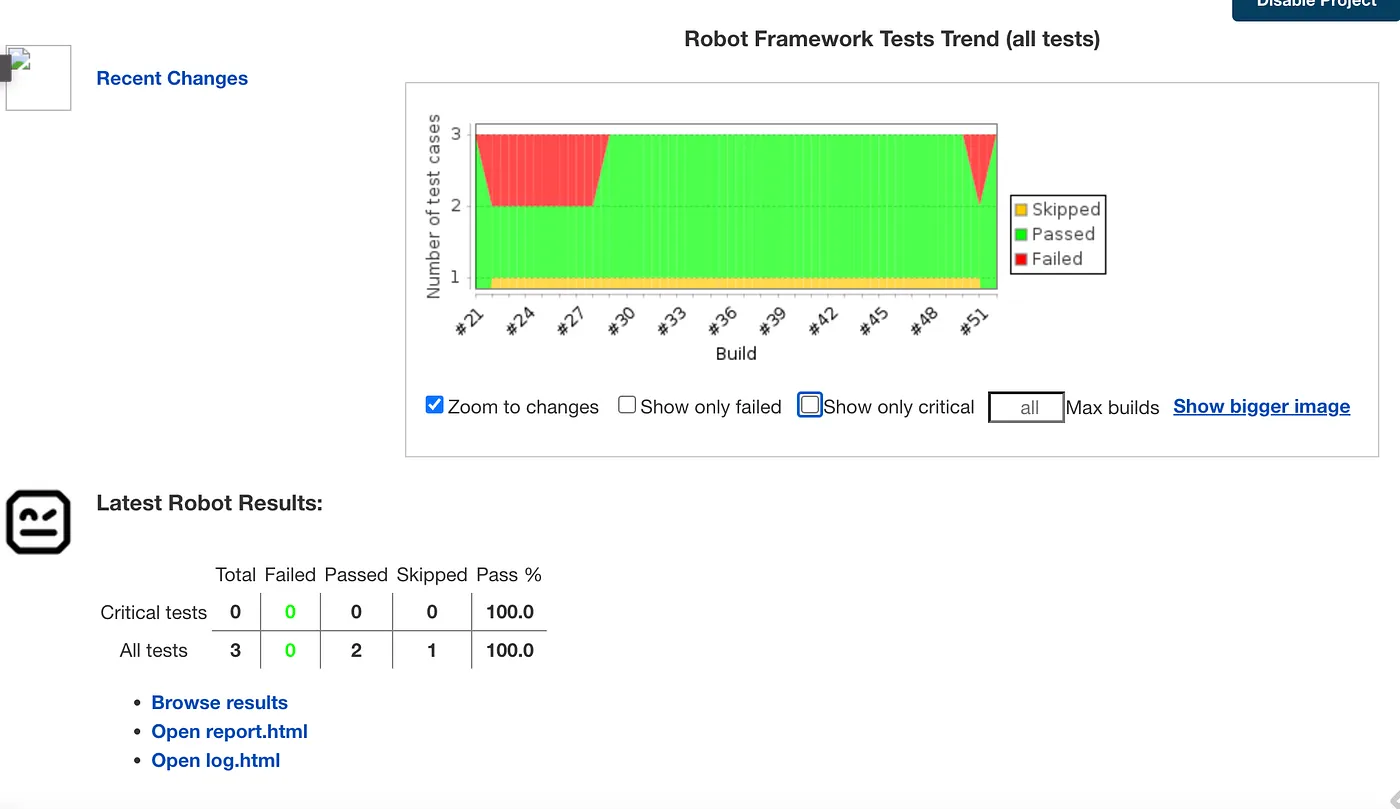
}Now, after job execution, results are presented in following graphics.
Email notification from Jenkins
Sending email notification from Jenkins can be done via mail plugin. We have some arguments to define and are able to use environment variables in body. Mail template is not using templates from files, but html formatting can be done in body.
failure {
   mail bcc: '',
   body: "Project: ${env.JOB_NAME} <br>Build Number: ${env.BUILD_NUMBER} <br> URL de build: ${env.BUILD_URL}",
   cc: '',
   charset: 'UTF-8',
   from: '',
   mimeType: 'text/html',
   replyTo: '',
   subject: "FAIL: Project name -> ${env.JOB_NAME}",
   to: "email@example.com";
}
Email on failure with simple mail client
Our email example from picture above is sending following email.
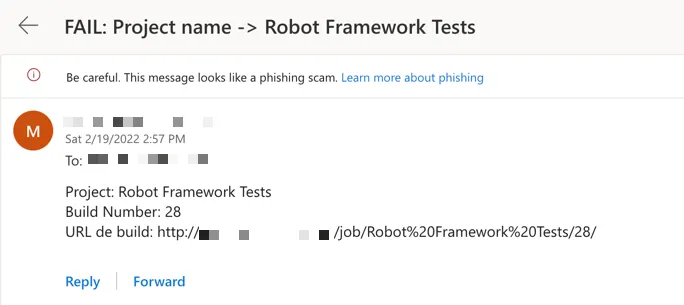
We have not done much to format this email, it is only showcasing what can be done.
Advanced Email notification from Jenkins with plugin
To get some advanced email views and adopt template to your needs, Jenkins plugin Email Extension is perfect choice. This plugin is also providing templates supporting html and groovy for the case if we want to iterate results.
Let’s see what we need to add to our job so we can use email extension. To send email via email extension we are adding post stage with parameters like body, mimeType, subject and email receiver. Email extension has all templates saved in $JENKINS_HOME/email-templates, so we can simply referenced one of them and plugin will format our email with desired template.
success {
  emailext body: '''${SCRIPT, template="groovy-html.template"}''',
  mimeType: 'text/html',
  subject: "SUCCESS: ${env.JOB_NAME} #${env.BUILD_NUMBER}",
  to: 'email@example.com'
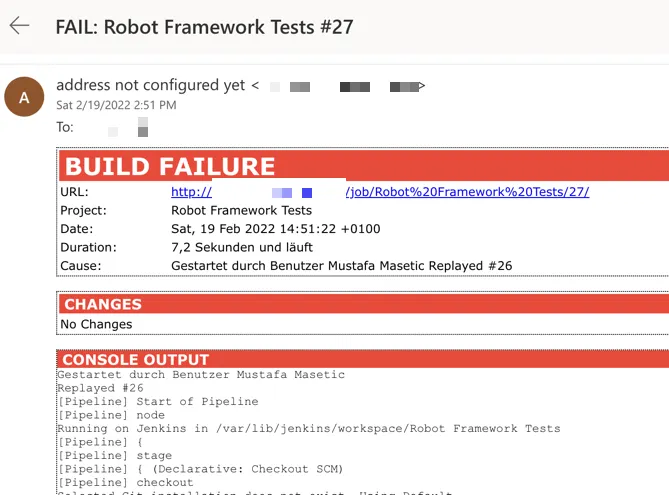
}After executing Jenkins job and sending notification with Email extension plugin we can see that template looks really nice and is formatted well. However, having only console output can be insufficient for robot tests results and we might want to see some more details.
Robot Framework Email Templates
In a search for robot framework results template for email extension I stumbled upon Vinayaka V Ladwa’s repository with a template giving us overview of robot execution and statistics. I find this template perfectly suited for robot results presentation.
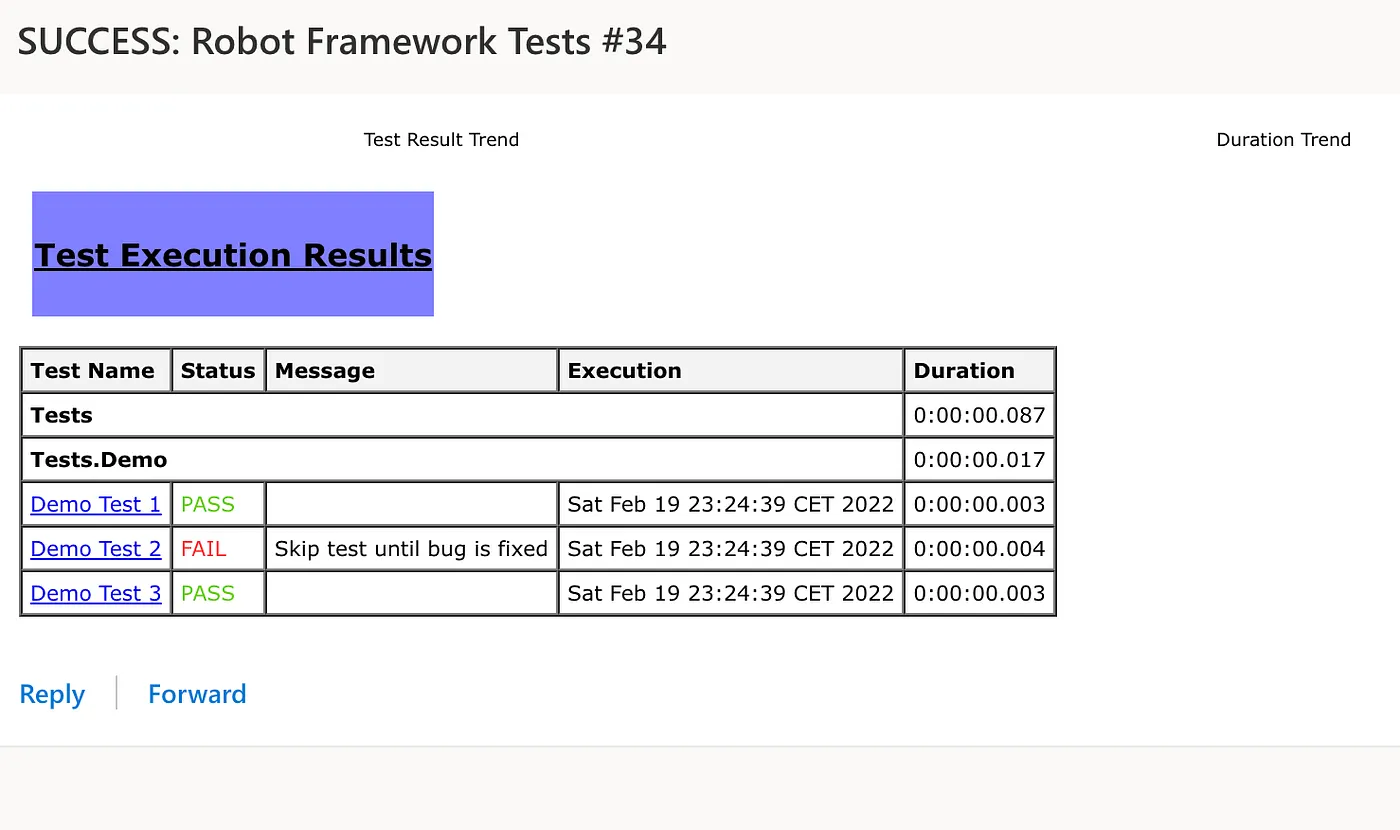
If you want to use this template, simply copy it to $JENKINS_HOME/email-templates path. Alternatively, you add this template in repo and reference it in post step, but your template will be blocked in Jenkins so you would need to approve it every time you change it. This can be don at Jenkins page available via URL: http://JENKINS_URL/scriptApproval.
Although I find this template already great, it has some issues that I would like to change. It is referencing pictures from Jenkins with trend results and this pictures are having issue being presented in email. Either Jenkins is constantly changing security policy blocking direct access to content like this, or email clients are usually not downloading and showing pictures by default. To avoid this issues I have removed this references.
Robot Framework Templates without pictures
Adding changes and combining it with email extension default templates, I wanted to preserve some formatting and output together with robot framework results. This template is presented in a following picture.
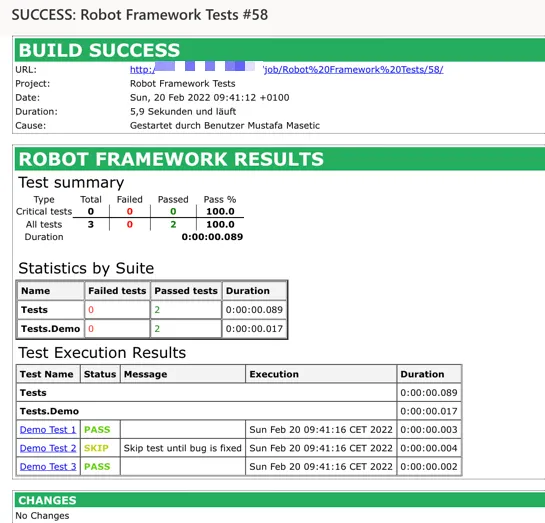
If the build is failing email output will help us to quickly identify reason why is failing and changes in code are also presented. Once again, instead having email message telling us if build is failing or succeeding, this way we can have first inspection already and maybe be on the right track identifying issue in the early stage.
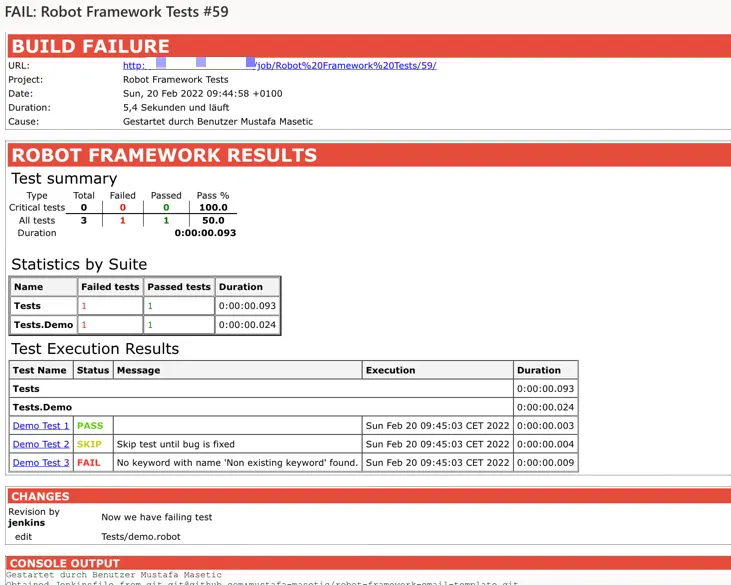
This template still has space for improvements. For example, skipped tests are not presented in statistics, but for me it is currently minor issue. I have integrate this template in all Jenkins jobs with Robot Framework and if it can be helpful to you than I am more than happy to share it with you.
Github repo: https://github.com/mustafa-masetic/robot-framework-email-template


